How to Prevent Stockouts During Diwali Sales With LOGIC ERP Inventory Management Software?

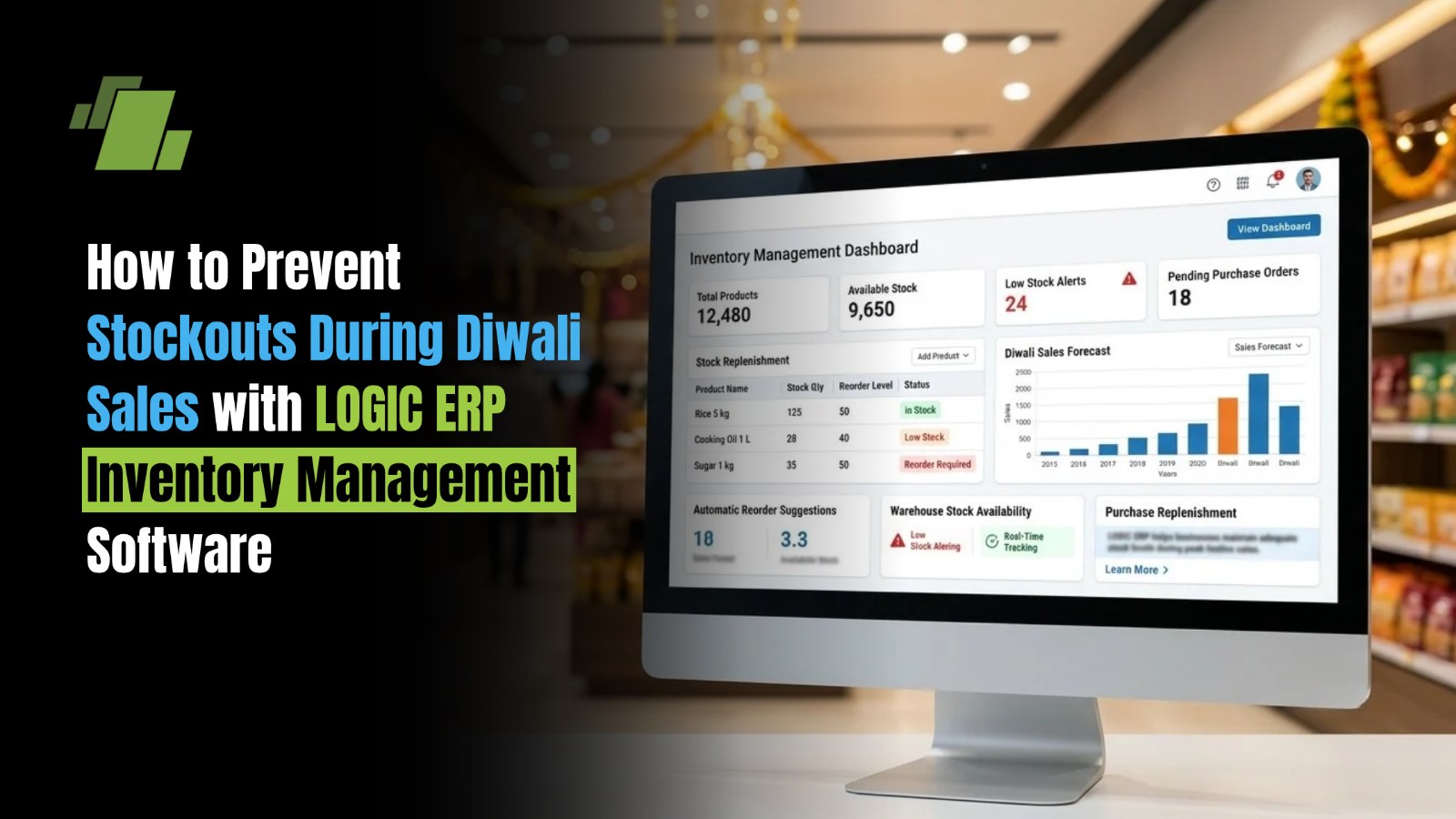
Diwali is one of the busiest shopping periods for Indian retailers. From apparel, footwear, electronics and cosmetics to grocery and home furnishings, businesses often experience a significant increase in customer demand during the festive season. While higher sales create opportunities for growth, they also put pressure on inventory planning, replenishment, warehouse operations and order fulfilment.
One of the biggest challenges retailers face during Diwali sales is stockouts - situations where popular products become unavailable just when customers are ready to buy. A shortage of fast-moving items can result in lost sales, dissatisfied customers, abandoned purchases and missed revenue opportunities.
Contact Us
Free Demo Request
Managing festive inventory through spreadsheets or disconnected systems can make it difficult to track stock accurately across multiple stores and warehouses. This is where LOGIC ERP inventory management software helps retailers gain better visibility into inventory, monitor stock movement, plan replenishment and coordinate inventory across business locations.
In this article, we explore the common causes of Diwali stockouts and practical ways retailers can prevent them using ERP-based inventory management.
What Causes Stockouts During Diwali Sales?
Stockouts usually occur when inventory planning fails to keep pace with customer demand. During Diwali, even a small forecasting error can affect product availability across stores and sales channels.
1. Inaccurate Demand Forecasting
Retailers may rely on intuition or general sales trends to estimate festive demand. However, customer preferences can vary by product category, brand, price range, location and promotional offer. Underestimating demand for popular products can lead to empty shelves before the festive rush ends.
2. Limited Visibility Into Available Stock
When inventory records are updated manually or systems operate independently, retailers may not have an accurate view of available stock. A product might be unavailable at one store while sufficient inventory remains in another location.
3. Delayed Supplier Replenishment
Festive demand puts pressure on suppliers, distributors and logistics providers. Retailers who place purchase orders too late may face longer replenishment cycles, delayed deliveries and shortages of high-demand products.
4. Poor Coordination Between Stores and Warehouses
Retailers operating multiple outlets need to coordinate stock allocation across locations. Without consolidated inventory visibility, some stores may accumulate excess stock while others run out of popular items.
5. Unplanned Promotions and Bulk Orders
Diwali discounts, combo offers, seasonal bundles and bulk purchases can increase sales faster than expected. If promotional demand is not considered during inventory planning, existing stock levels may not be sufficient.
8 Ways to Prevent Stockouts During Diwali Sales With ERP Inventory Management Software
The right inventory management strategy helps retailers maintain product availability while avoiding unnecessary overstocking. Here are eight practical ways to prepare for Diwali sales with LOGIC ERP.
1. Forecast Festive Demand Using Historical Sales Data
Retailers can use previous Diwali sales data to identify products that consistently experience higher demand during the festive season. Analysing sales by SKU, category, store and time period provides a more reliable basis for purchasing and stock allocation.
With LOGIC ERP, retailers can use available sales reports and business insights to review historical product movement and identify fast-moving and slow-moving inventory.
For better forecasting, consider:
-
Reviewing sales from previous Diwali seasons and comparable promotional periods.
-
Identifying best-selling SKUs, popular variants and high-demand categories.
-
Comparing demand across stores and geographic locations.
-
Accounting for planned discounts, promotions and new product launches.
-
Updating stock plans as actual sales patterns emerge.
Example: An apparel retailer notices that certain ethnic-wear styles and sizes sell faster during the two weeks before Diwali. Using historical sales reports, the retailer can plan additional stock for those styles and variants before demand peaks.
2. Track Inventory in Real Time Across Stores and Warehouses
Accurate inventory visibility is essential when sales increase rapidly. Retailers need to know how much stock is available, where it is located and how much has already been allocated to orders.
LOGIC ERP supports inventory management across retail operations, helping businesses monitor stock movement and maintain better coordination between locations, subject to the modules and configuration in use.
Real-time or regularly synchronised inventory visibility helps retailers:
-
Check stock availability across multiple locations.
-
Monitor incoming stock, sales and stock transfers.
-
Identify products approaching their minimum stock levels.
-
Reduce discrepancies between recorded and physical inventory.
-
Make informed decisions about replenishment and stock allocation.
When inventory data is available centrally, retailers can respond faster to shortages instead of waiting for manual stock reports from individual stores.
3. Set Minimum Stock Levels and Reorder Points
A reorder point indicates when a product should be replenished to reduce the risk of running out of stock before the next delivery arrives.
Retailers should define stock thresholds based on sales velocity, supplier lead times and expected festive demand. Fast-moving products may require higher safety stock than items with predictable or slower sales.
A basic reorder-point formula is: ReorderPoint=AverageDailyDemandLeadTime+SafetyStock
For example, if a retailer sells 40 units daily, the supplier lead time is five days, and the retailer maintains 60 units as safety stock, the reorder point is 260 units.
When stock approaches this level, the purchasing team can review replenishment requirements and place orders before inventory becomes critically low.
LOGIC ERP inventory and purchasing workflows can help retailers manage stock levels and replenishment planning according to their configured business rules.
4. Identify Fast-Moving and Slow-Moving Products
Not every product requires the same inventory strategy during Diwali. Some products experience a sharp increase in demand, while others may remain slow-moving despite festive discounts.
Retailers should classify products based on sales velocity, profitability, seasonality and business importance.
| Product Category | Recommended Inventory Action |
|---|---|
| Fast-Moving Products | Review stock frequently and replenish proactively. |
| High-Demand Festive Products | Plan additional safety stock based on expected demand. |
| Slow-Moving Products | Avoid excessive purchasing and review suitable promotions. |
| High-Value Products | Monitor stock carefully to balance availability and working capital. |
| Seasonal Products | Plan purchases around expected demand and the remaining selling window. |
LOGIC ERP reporting and business insights can help retailers analyse stock movement and make more informed purchasing and inventory allocation decisions.
5. Optimise Stock Allocation Across Multiple Stores
A stockout at one outlet does not always mean the business has run out of that product. Inventory may still be available at another branch, warehouse or distribution point.
Retailers with multiple locations should review stock availability centrally and transfer inventory from locations with surplus stock to those experiencing higher demand.
LOGIC ERP helps businesses manage inventory across locations, supporting more coordinated stock transfers and allocation processes based on their operational setup.
For effective festive stock allocation:
-
Monitor sales and stock levels by store.
-
Identify outlets with excess inventory and those nearing stockout.
-
Prioritise transfers for high-demand products and essential variants.
-
Account for transfer and delivery lead times.
-
Recheck availability after transfers and new stock receipts.
This approach helps retailers make better use of existing inventory before placing additional purchase orders.
6. Plan Supplier Purchases Before the Festive Rush
Supplier delays can quickly turn a manageable inventory shortage into a lost-sales problem. Retailers should review supplier lead times, order cut-off dates, delivery reliability and product availability well before Diwali.
ERP-based purchasing and inventory workflows can help teams coordinate purchase requirements with current stock and expected demand.
A practical festive procurement checklist includes:
-
Finalising the festive assortment and expected quantities.
-
Reviewing supplier-wise lead times and minimum order quantities.
-
Identifying products that need advance ordering.
-
Tracking pending purchase orders and expected deliveries.
-
Following up on delayed or partially fulfilled orders.
-
Identifying alternate suppliers for critical products where feasible.
Early procurement planning reduces dependence on last-minute purchases and gives retailers more time to respond to supply disruptions.
7. Monitor Inventory During Live Festive Sales
Inventory planning should not stop once Diwali stock reaches the warehouse. Actual sales can differ significantly from forecasts, especially when a particular product, offer or location performs better than expected.
Retailers should monitor inventory throughout the festive period and review sales and stock reports at regular intervals.
With LOGIC ERP, businesses can use available inventory reports, sales information and business insights to identify changing demand patterns and take corrective action.
For example, if a particular footwear style begins selling faster than expected, the retailer can review available stock across branches, arrange a transfer or initiate replenishment where supplier lead times permit.
The key is to act on stock data before a product becomes unavailable, rather than responding after a stockout has already occurred.
8. Coordinate Inventory Across Physical Stores and Online Channels
Retailers selling through physical outlets, e-commerce websites and marketplaces must ensure that stock availability is communicated accurately across their sales channels.
Disconnected inventory records can lead to overselling, order cancellations and situations where customers purchase products that are no longer available.
An integrated retail and ERP setup can help businesses coordinate inventory and order processing across supported channels. LOGIC ERP's integration capabilities can support connected operations depending on the e-commerce platform, integration and configuration.
Retailers should focus on:
-
Synchronising inventory across connected sales channels.
-
Reviewing reserved, committed and available stock separately.
-
Updating stock after sales, returns and order cancellations.
-
Monitoring online orders alongside store-level sales.
-
Prioritising accurate availability information for high-demand products.
Better channel coordination helps retailers fulfil more orders without relying on excess inventory at every location.
How LOGIC ERP Inventory Management Software Helps Prevent Diwali Stockouts
LOGIC ERP provides an integrated approach to inventory and retail operations, helping businesses improve stock visibility, purchasing coordination and inventory control during peak selling periods.
Centralised Inventory Visibility
Monitor inventory across supported stores and warehouses to identify shortages and surplus stock more efficiently.
Barcode-Based Stock Management
Support accurate product identification and inventory transactions through barcode-enabled workflows, where configured.
Sales Reports and Business Insights
Review product movement, sales trends and stock positions to support more informed inventory decisions.
Purchasing and Replenishment Coordination
Align purchasing decisions with inventory requirements and pending supplies to help reduce replenishment delays.
Multi-Location Inventory Control
Coordinate stock movement between warehouses and retail outlets to make existing inventory more accessible where needed.
By bringing inventory, sales and purchasing processes together, LOGIC ERP helps retailers make better-informed decisions throughout the festive season. The exact capabilities available depend on the selected modules, integrations and system configuration.
Diwali Inventory Management Checklist for Retailers
Before the festive rush begins, retailers can use this checklist to prepare their inventory operations.
-
Review previous Diwali sales and identify high-demand products.
-
Forecast demand by SKU, category and store.
-
Set reorder points and safety stock for priority products.
-
Confirm supplier lead times and purchase order deadlines.
-
Check physical stock and resolve inventory discrepancies.
-
Review inventory availability across stores and warehouses.
-
Verify inventory synchronisation across connected sales channels.
-
Monitor daily sales, stock levels and pending replenishment.
-
Prepare a plan for stock transfers and urgent purchases.
Conclusion: Keep Festive Inventory Ready With LOGIC ERP
Diwali sales offer retailers an opportunity to increase revenue, attract new customers and strengthen customer loyalty. However, these opportunities can be missed when popular products run out of stock at critical moments.
Accurate demand forecasting, timely purchasing, appropriate safety stock, centralised inventory visibility and continuous monitoring help retailers prepare for fluctuating festive demand.
LOGIC ERP inventory management software helps retailers bring inventory, sales and purchasing operations together, supporting better stock control and more informed decisions throughout the Diwali season.
Ready to Manage Diwali Inventory More Efficiently? Prevent avoidable stockouts, improve inventory visibility and prepare your retail business for festive demand with LOGIC ERP.

Call at +91-73411-41176/75 or send us an email at sales@logicerp.com to book a free demo today!
Frequently Asked Questions
How can Retailers Prevent Stockouts During Diwali Sales?
Retailers can prevent stockouts by forecasting demand using historical sales data, setting reorder points, maintaining appropriate safety stock, monitoring inventory regularly and planning supplier purchases in advance. Inventory management software helps coordinate these activities across stores and warehouses.
How Does ERP Inventory Management Software Help During Festive Sales?
ERP inventory management software helps retailers maintain visibility into stock levels, track product movement, coordinate purchasing, analyse sales trends and manage inventory across locations. These capabilities help businesses identify potential shortages earlier and respond before popular products become unavailable.
What is the Role of Demand forecasting in Diwali Inventory Management?
Demand forecasting helps retailers estimate how much inventory they may need during the festive season. By analysing historical sales, product popularity, location-specific demand and promotional plans, retailers can make better purchasing decisions and reduce the risk of stockouts and excess inventory.
How Much Safety Stock Should Retailers Maintain for Diwali?
Safety stock depends on demand variability, supplier lead times, product importance and the consequences of a stockout. Retailers should calculate safety stock for priority products using historical sales patterns and supply reliability rather than applying the same buffer to every SKU.
How can Multi-Store Retailers Avoid Stockouts at Individual Outlets?
Multi-store retailers should monitor inventory centrally, compare stock availability with local demand and transfer surplus inventory to outlets experiencing shortages. Coordinated purchasing and store-level sales analysis also help improve stock distribution.
Can LOGIC ERP Help Manage Inventory Across Multiple Retail Stores?
Yes. LOGIC ERP supports multi-location inventory management, helping retailers coordinate stock visibility and movement across supported stores and warehouses. The specific workflows depend on the business setup and selected modules.
How can Retailers Manage Inventory Across Online and Offline Sales Channels During Diwali?
Retailers should maintain accurate stock records, synchronise inventory across connected channels, track reserved orders and update stock after sales, returns and cancellations. An integrated ERP setup can help reduce overselling and improve order fulfilment when the relevant integrations are configured.
What are the Benefits of Real-Time Inventory Tracking During Diwali Sales?
Real-time inventory tracking, where supported, helps retailers identify low-stock products sooner, monitor fast-moving items, improve stock allocation and make timely replenishment decisions. It also reduces reliance on delayed manual reports.

Author
Gurbir Singh
Co-founder & Managing Director | LOGIC ERP Solutions Pvt. Ltd.
With 30+ years of experience in the tech industry, I took the helm of technology & product development, ensuring LOGIC ERP’s continuous innovation & leadership in the evolving tech landscape.

